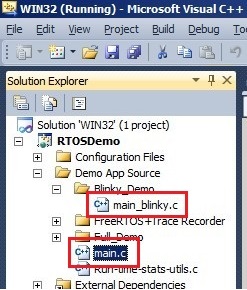
The most recent FreeRTOS demos can be configured to build either a simple blinky starter application, or a comprehensive test and demo application:
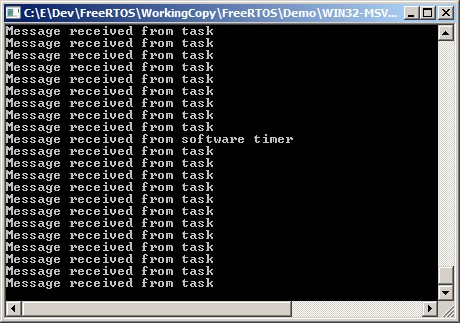
Blinky demos are intended for beginners. They normally create just two tasks, one queue, and sometimes also a software timer. Their functionality is contained in a single C source file called main_blinky.c.
Comprehensive demos demonstrate and test a lot of FreeRTOS features, including tasks, direct to task notifications, queues, semaphores, recursive semaphores, software timers, and more. Comprehensive demos create a lot of tasks and use a lot of API functions, so are not recommended for beginners.
Each official FreeRTOS project has its own documentation page. The documentation page describes how to configure the project to build either the simply blinky demo or the comprehensive demo, and describes the behaviour of both options.
Note: A project that is configured to build a simply blinky demo will still build all the source files used by the comprehensive demo, even though the simply blinky functionality is contained within the single main_blinky.c source file. Refer to the Source Code Organisation and Creating a New FreeRTOS Project pages for a description of the RTOS and demo application source files.
If you are a beginner, then don't read the main documentation page for the Windows demo yet, or pay any attention to the comprehensive demo that can be built by the same project (the comprehensive demo for the Windows port is very comprehensive as it is used as a development and test platform!) - just start by using the simple instructions below: